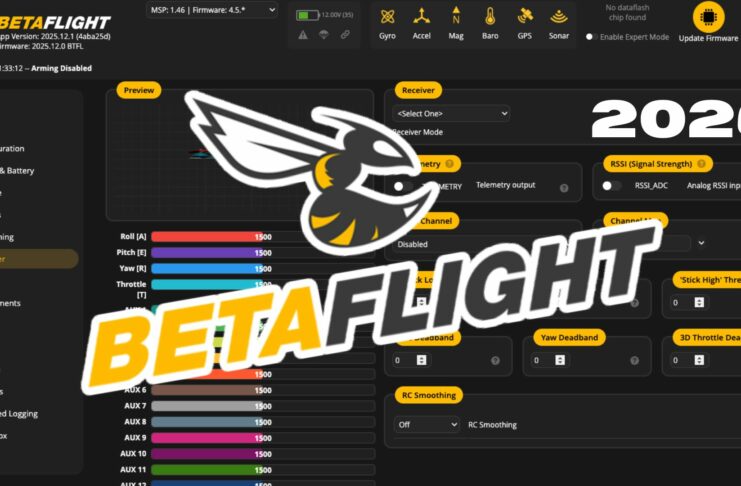
La version 2025.12.1 de Betaflight Configurator apporte des corrections de bugs, des optimisations d’interface, des outils d’analyse améliorés et surtout une meilleure intégration avec les protocoles récents (Blackbox plus rapide, affichage des logs amélioré). C’est une mise à jour mineure, mais essentielle pour tirer le maximum des FC F7/H7, ESC 4-in-1 modernes et des configurations PID fines.

1. Interface et expérience utilisateur
nouveau design plus fluide
-
UI modernisée, couleurs plus contrastées pour les modes (ARM, ANGLE, HORIZON, ACRO).
-
Navigation plus rapide entre les onglets (Setup, Ports, PID Tuning, Blackbox).
config assistant remodelé
-
Assistant de configuration plus clair pour premiers vols.
-
Explication directe des paramètres critiques (ESC protocol, gyro freq, looptime) — utile pour débutants.
Pour un pilote FPV novice, l’assistant rend Betaflight moins intimidant tout en guidant vers des choix adaptés (ex : DShot 1200 vs 600 selon ESC).
2. support matériel et protocoles récents
amélioration des contrôleurs de vol (FC)
-
Support complet des FC basés sur STM32H7 dernière génération avec gyro à très haute fréquence.
-
Meilleur auto-detect des bus SPI et MPU (gyro/accel) — réduit les erreurs d’identification de matériel.
protocoles ESC et moteurs
-
Compatibilité renforcée avec les ESC récents (DShot 1200, synchronous sampling).
-
Affichage des températures en temps réel directement dans l’onglet Setup (selon FC/ESC supportés).
télémetrie radio
-
Intégration plus stable de SmartPort sur ESC/FC pour RSSI propre.
-
ELRS amélioré : meilleure lecture des RSSI/FPV VTX OSD dans Configurator.
3. Tuning PID + filtres
nouveaux sliders et explications
-
PID Tuning repensé : chaque paramètre a une micro-explication intégrée.
-
Présélections pour styles de vol :
-
race (plus réactif),
-
freestyle (stable mais dynamique),
-
cine FPV (smooth-oriented, moins « snappy »).
-
filtres actifs
-
Filtre notch automatique basé sur la fréquence gyro détectée.
-
Option dynamic filter qui s’adapte à la charge moteur pour éviter la sur-filtration.
Pour les pilotes intermédiaires/experts, cela signifie moins de bruit dans les logs et une boucle de vol plus propre sans avoir à tout bricoler manuellement.
4. Blackbox + analyse
affichage des logs plus rapide
-
Chargement de Blackbox jusqu’à 30 % plus rapide.
-
Possibilité de zoom sur sections de log directement dans Configurator — plus besoin d’exporter vers un logiciel externe pour une première analyse.
nouveaux overlays
-
Lecture des FFT de gyro en temps réel (utile pour vérifier l’agressivité des filtres).
-
Couleurs repensées pour les données clés (gyro, pid, motor).
5. Compatibilité avec les caméras / OSD
OSD et télémétrie
-
Meilleure compatibilité avec les VTX modernes (SmartAudio ++ tel que supports imagés récents).
-
Lecture stabilisée du RSSI via ELRS ou SmartPort.
caméra / footage
-
Betaflight Configurator 2025.12.1 ne remplace pas les outils vidéo DJI/GoPro, mais affiche maintenant les télémetries utiles pour le pilotage en cine (alt, vario quand dispo via FC).
6. Sécurité & conformité
Betaflight reste un firmware utilisé dans le cadre des réglementations européennes 2025 (EASA, Light UAS) — mais l’outil aide aussi à :
-
vérifier les modes ARM/DISARM selon hauteur/switch,
-
configurer un failsafe propre (très critique en zone urbaine),
-
gérer des RPM filters sans compromettre la stabilité (vu que trop filtrer peut être dangereux).
👉 Rappel réglementaire (Europe / France) : le drone FPV piloté via Betaflight doit être opéré dans une catégorie conforme à la loi locale (Open/Specific). L’OSD doit afficher l’altitude réelle ou corrigée si besoin (Alpha Tango) et le failsafe doit être testé en statique avant tout vol réel.
Avis pilote FPV : est-ce une mise à jour essentielle ?
Oui — surtout si tu voles :
-
avec du hardware moderne (FC H7, ESC 4-in-1 haut-de-gamme),
-
si tu analyses régulièrement les logs,
-
ou si tu veux une interface plus claire avec des tutos intégrés.
Pour les setups « basiques » déjà stables, ce n’est pas révolutionnaire, mais ça corrige des irritants de longue date (navigation, vitesse de log, filtres dynamiques).
Conseils pratiques pour l’installation
-
sauvegarde ta configuration actuelle (CLI → diff all > sauvegarde.txt)
-
installe Betaflight Configurator 2025.12.1
-
mets à jour ton FC & ESC si supportés
-
ouvre l’assistant et parcours chaque onglet lentement
-
vérifie le failsafe et télémétrie avant premiers vols
🐝 betaflight.com/docs/wiki/app
CLI Command Reference Betaflight
Click on a command to jump to the relevant documentation page.
MODE DUF CLI = BL
IMPORTANT CLI : DUMP, STATUS, VERSION,
Command |
Description |
|---|---|
1wire <esc> |
passthrough 1wire to the specified esc |
adjrange |
show/set adjustment ranges settings |
aux |
show/set aux settings |
mmix |
design custom motor mixer |
smix |
design custom servo mixer |
color |
configure colors |
defaults |
reset to defaults and reboot |
dump |
print configurable settings in a pastable form |
exit |
|
feature |
list or -val or val |
get |
get variable value |
gpspassthrough |
passthrough gps to serial |
help |
|
led |
configure leds |
map |
mapping of rc channel order |
mixer |
mixer name or list |
mode_color |
configure mode colors |
motor |
get/set motor output value |
play_sound |
index, or none for next |
profile |
index (0 to 2) |
rateprofile |
index (0 to 2) |
rxrange |
configure rx channel ranges (end-points) |
rxfail |
show/set rx failsafe settings |
save |
save and reboot |
serialpassthrough |
serial passthrough mode, reset board to exit |
set |
name=value or blank or * for list |
status |
show system status |
version |
show version |
serial |
configure serial ports |
servo |
configure servos |
sd_info |
sdcard info |
tasks |
show task stats |
Tuning Notes
Quick settings
These snippets are suggestions for how some of the less common settings might be adjusted to suit a certain type of flying. The defaults should be fine for fast freestyle and general racing requirements. I can’t say that they will be perfect on your quad, and they do not include PID tuning or filter values, but they might show the kind of ranges for some of these numbers.
ProRace (aggressive feed forward, requires a really clean RC signal or might jitter from RC steps and get hot motors)
set iterm_relax_cutoff = 30
set rc_smoothing_auto_smoothness = 5
set ff_interpolate_sp = ON
set ff_smooth_factor = 0
set ff_spike_limit = 60
set ff_boost = 20
set feedforward_transition = 0
set yaw_lowpass_hz = 100
set throttle_boost = 7
set throttle_boost_cutoff = 25
set dyn_lpf_dterm_curve_expo = 7
set gyro_rpm_notch_q = 600
(enable sag compensation, as high as suits you, and D expo also)
Race/Fast Freestyle (strong feed forward, tolerates a typical RC signal, very responsive)
set iterm_relax_cutoff = 20
set rc_smoothing_auto_smoothness = 7
set ff_interpolate_sp = AVERAGED_2
set ff_smooth_factor = 20
set ff_spike_limit = 70
set ff_boost = 15
set feedforward_transition = 0
set yaw_lowpass_hz = 100
set throttle_boost = 7
set throttle_boost_cutoff = 25
set dyn_lpf_dterm_curve_expo = 7
set gyro_rpm_notch_q = 700
HD (smoothed FF for HD cameras, strong low turn rate smoothness, low iterm relax to minimise bounce back)
set iterm_relax_cutoff = 10
set rc_smoothing_auto_smoothness = 20
set ff_interpolate_sp = AVERAGED_3
set ff_smooth_factor = 40
set ff_spike_limit = 55
set ff_boost = 0
set feedforward_transition = 40
set yaw_lowpass_hz = 70
set throttle_boost = 5
set throttle_boost_cutoff = 10
set dyn_lpf_dterm_curve_expo = 7
set gyro_rpm_notch_q = 800
Cinematic (For slow rate turns only, may feel a bit ‘dull’ otherwise)
set iterm_relax_cutoff = 5
set rc_smoothing_auto_smoothness = 40
set ff_interpolate_sp = AVERAGED_4
set ff_smooth_factor = 50
set ff_spike_limit = 50
set ff_boost = 0
set feedforward_transition = 70
set yaw_lowpass_hz = 50
set throttle_boost = 2
set throttle_boost_cutoff = 10
set dyn_lpf_dterm_curve_expo = 8
set gyro_rpm_notch_q = 900
set iterm_windup = 75
The following tuning suggestions may help minimise minor random wobbles in HD footage:
- disable D_min,
- set D about 20% above P, using the P:D ratio slider
- set TPA to D only, to start at your cruising throttle value, and increase the cut percentage a little
- set the D lowpass expo value as high as possible (you’ll be limited by mid-throttle D noise) (with the extra D, you may need more D filtering, e.g. 2 clicks left on the D filter slider)
- use about 20% less P than your normal freestyle tune, just barely enough to provide basic P stability.
- and about half the default I on pitch and roll
- high FF transition eg 0.7
- make sure the ADC is not ticked in the hardware settings of OpenTx
- use Actual Rates with centre set to 10-50, expo to 0, and your usual max rate. Actual with zero expo gives a soft centre with quicker return to normal responsiveness out of centre. Transition and/or deadband may not be required when the centre sensitivity is very low.
For zero throttle instability
- go back to 24kHZ PWM if you’ve set the ESc to 48kHz
- raise DShot idle progressively until it becomes floaty, and tune dynamic idle appropriately
- try thrust linear at 25
- try disabling Dmin and slightly higher overall PIDs
Return to defaults (zero values mean ‘off’)
set iterm_relax_cutoff = 15
set rc_smoothing_auto_smoothness = 10
set ff_interpolate_sp = AVERAGED_2
set ff_smooth_factor = 37
set ff_spike_limit = 60
set ff_boost = 15
set feedforward_transition = 0
set yaw_lowpass_hz = 0
set throttle_boost = 5
set throttle_boost_cutoff = 15
set dyn_lpf_dterm_curve_expo = 5
set gyro_rpm_notch_q = 500
set iterm_windup = 100
Description of arming
prevention flags
What each flag means and what you should do to (probably) fix the issue.
This list should be kept up to date with the code in master (armingDisableFlags_e in src/main/fc/runtime_config.h) so can be used to find what flag corresponds to a certain index, however if you run an older version you’d have to check this manually as mentioned above.
| Name | Description | Beep code | Required Actions |
|---|---|---|---|
| 4.2+ | |||
NOGYRO |
A gyro was not detected | 1 | You may have a hardware failure, if a previous firmware version works then it may be a firmware issue. |
FAILSAFE |
Failsafe is active | 2 | Rectify the failure condition and try again. |
RXLOSS(1) |
No valid receiver signal is detected | 3 | Your receiver is either faulty or has no link to the transmitter. |
BADRX(1) |
Your receiver has just recovered from receiver failsafe but the arm switch is on | 4 | Switch the arm switch off. |
BOXFAILSAFE |
The ‘FAILSAFE’ switch was activated | 5 | See FAILSAFE |
RUNAWAY |
Runway Takeoff Prevention has been triggered | 6 | Disarm to clear this condition. |
CRASH |
Crash Recovery has been triggered | 7 | Disarm to clear this condition. |
THROTTLE |
Throttle channel is too high | 8 | Lower throttle below min_check. |
ANGLE |
Craft is not level (enough) | 9 | Level craft to within small_angle degrees (default 25). |
BOOTGRACE |
Arming too soon after power on | 10 | Wait until pwr_on_arm_grace seconds (default 5) have elapsed. |
NOPREARM |
Prearm switch is not activated or prearm has not been toggled after disarm | 11 | Toggle the prearm switch. |
LOAD |
System load is too high for safe flight | 12 | Revisit configuration and disable features. |
CALIB |
Sensor calibration is still ongoing | 13 | Wait for sensor calibration to complete. |
CLI |
CLI is active | 14 | Exit the CLI. |
CMS |
CMS (config menu) is Active – over OSD or other display | 15 | Exit the CMS (or OSD menu). |
OSD |
OSD menu is active | Exit OSD menu. | |
BST |
A Black Sheep Telemetry device (TBS Core Pro for example) disarmed and is preventing arming | 16 | Refer to the manual for your hardware. |
MSP |
MSP connection is active, probably via Betaflight Configurator | 17 | Terminate the Betaflight Configurator connection (disconnect). |
PARALYZE |
Paralyze mode has been activated | 18 | Power cycle/reset FC board. |
GPS |
GPS rescue mode is configured but required number of satellites has not been fixed | 19 | Wait for GPS fix, enable arming without GPS fix, or disable GPS rescue mode. |
RESCUE_SW |
GPS Rescue switch is in an unsafe position | 20 | Turn off the GPS Rescue switch to arm. |
RPMFILTER(2) |
Motor RPM-based filtering is not functioning | 21 | One or more ESC’s are not supplying valid RPM telemetry. |
REBOOT_REQD |
Reboot required | 22 | Reboot the flight controller for settings changes to take effect. |
DSHOT_BBANG |
DSHOT Bitbang is not working | 23 | (3) |
NO_ACC_CAL |
Accelerometer calibration required | 24 | Calibrate the accelerometer or disable features that use it |
MOTOR_PROTO |
ESC/Motor Protocol not configured | 25 | Select the ESC/Motor protocol to use on the Configuration tab. |
ARMSWITCH |
Arm switch is in an unsafe position | 26 | Toggle the arm switch to arm.
|
[FR] probleme installation BF
Si vous avez un problème comme : *Betafligh * » est endommagé et ne peut être ouvert. Vous devriez éjecter l’image disque. »
Ouvrez Applications > Utilitaires > Terminal.
Entrez la commande suivante dans le terminal, suivi de votre mot de passe administrateur lorsque demandé :
sudo spctl –master-disable
Une fois l’installation terminée, retournez dans l’utilitaire Terminal et entrez la commande suivante, suivie de votre mot de passe administrateur lorsqu’il sera demandé :
sudo spctl –master-enable
Allez dans les Preferences Système. > Sécurité et Confidentialité de votre Mac. Cliquez sur le cadenas et entrez votre mot de passe administrateur. Choisissez N’importe où sous Autoriser les applications téléchargée.